Complex Lane Height
Complex Lane Height is used to set or transfer different height values to lanes that overlap a specific area of a road. A Helper Road is used to define the required height and apply it to the selected lanes.
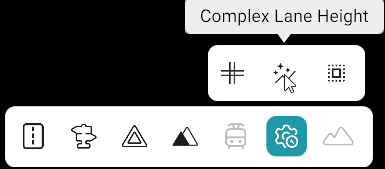
How to Use
- Click Advanced Tool from the toolbar.
- Select Complex Lane Height from the sub-toolbar.
- Click Add Helper Road.
- Open the Create Road tool and create a road.
- The created road will be used as the Helper Road and will have a single lane.
- Adjust the Helper Road geometry to cover the required area.
- Use the Lane Height tool to set the required height for the Helper Road.
- Open Advanced Tool again and select the Helper Road.
- All lanes covered by the Helper Road will be highlighted in blue.
- Left Click to select a lane and Right Click to unselect a lane.
- Click Apply from Helper Road.
- The Helper Road's height will be applied to the selected overlapping lanes.
Buttons
| Button | Description |
|---|---|
| Add Helper Road | Adds a road to be used as the Helper Road. |
| Apply from Helper Road | Applies the Helper Road's height to the selected overlapping lanes. |
| Reset | Resets the height values of the lanes. |
| Clear Selection | Removes the selected lanes. |