Left-Hand Traffic Rule (LHT)
RepliMap supports Left-Hand Traffic (LHT) road networks, enabling you to create, import, edit, validate, and export maps that comply with left-hand traffic regulations.
With LHT support, you can:
| Capability | Description |
|---|---|
| Create | Create new maps using Left-Hand Traffic (LHT) rules. |
| Import | Import existing LHT maps in supported formats, such as OpenDRIVE XML (.xodr). |
| Edit | Edit map geometry and road network elements while preserving LHT rules. |
| Validate | Validate maps using RepliMap's built-in validation tools. |
| Export | Export maps without changing the selected traffic rule. |
Note
By default, RepliMap uses Right-Hand Traffic (RHT) rules. You can switch between RHT and LHT at any stage based on your map requirements, ensuring the traffic rule is maintained throughout the editing and export workflow.
Enabling the Left-Hand Traffic Rule
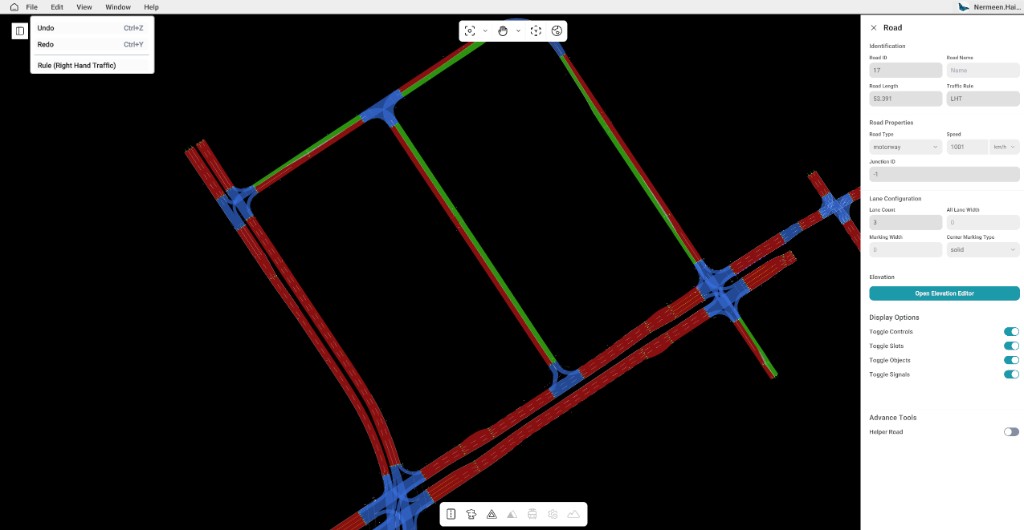
By default, RepliMap uses the Right-Hand Traffic (RHT) rule. You can switch to Left-Hand Traffic (LHT) at any time.
To enable the LHT rule:
- Open RepliMap.
- From the Menu Bar, select Edit.
- Click Left-Hand Traffic Rule.
Once enabled, all newly created and edited road network elements follow Left-Hand Traffic (LHT) rules.
Note
A confirmation dialog is displayed when you switch to LHT. The display of this dialog can be configured in User Preferences.
Note
When you import a map configured for Left-Hand Traffic (LHT), RepliMap automatically detects the traffic rule and switches to LHT. A notification is displayed in the Console panel to indicate that the traffic rule has been updated based on the imported map.
Related
- Main screen overview — editor layout, menu bar, and workspace.
- Login, Profile & Preferences — configure confirmation dialogs and other user settings.